
Download SmitFraudFix – Malware Removal, Virus Cleanup, Command-Line Tool, Windows Vista, System Cleanup
Overview
SmitFraudFix is a specialized security utility designed to detect, disinfect, and clean systems infected with malware. Developed for users confronting persistent or hard-to-remove threats, the tool focuses on providing a reliable, no-frills solution for system restoration. Its primary purpose is to address malware that evades standard antivirus software, particularly those that exploit system vulnerabilities or embed deeply within the operating environment. The app serves as a critical resource for individuals and IT professionals managing compromised Windows systems, especially those running older operating systems like Windows Vista.
Despite its age, SmitFraudFix remains functional on modern Windows environments, indicating its robust design and compatibility. The tool is particularly valuable in scenarios where traditional antivirus tools fail to detect or eliminate specific malware strains. Real-world use cases include post-infection recovery, system audits, and security hardening for legacy systems. Its role in the broader security ecosystem lies in offering a lightweight, targeted solution for users who need a direct, script-based intervention without relying on graphical interfaces.
The developer, SmitFraudFix, has not provided extensive background details. However, the tool’s continued availability and relevance suggest a dedicated community or developer commitment to maintaining a functional, minimalistic utility. The absence of a modern UI is not a flaw but a design choice that prioritizes efficiency and control over visual appeal. For users seeking a direct, transparent method of system cleanup, SmitFraudFix offers a dependable option in the cybersecurity toolkit.
Key Features & Functionality
- Effective Malware Detection: SmitFraudFix employs detection algorithms tailored to identify a broad spectrum of malware, including rootkits, trojans, and other stealthy threats that often bypass standard antivirus scans. Its ability to recognize both common and obscure malware types makes it a trusted choice for deep system inspections.
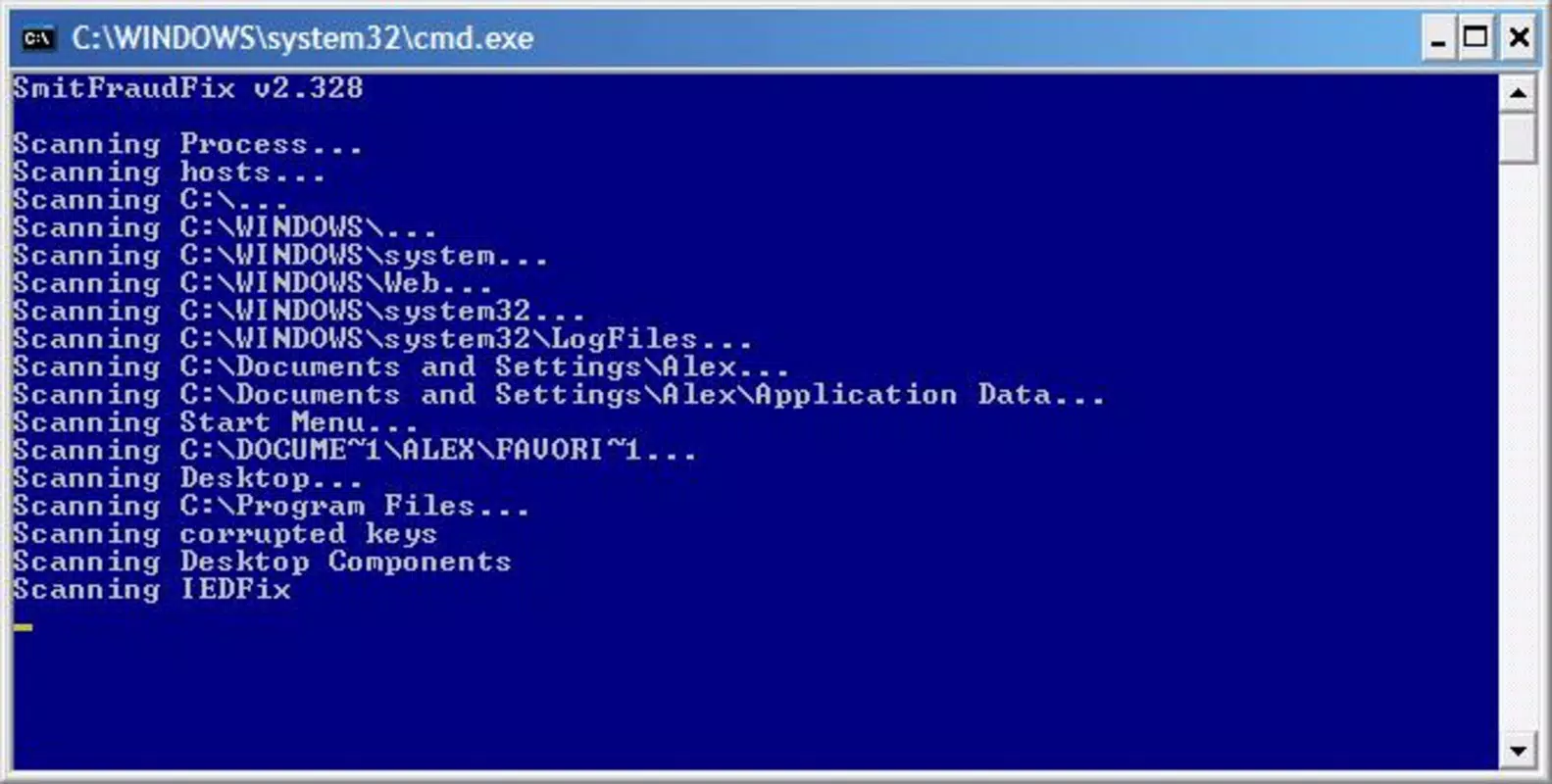
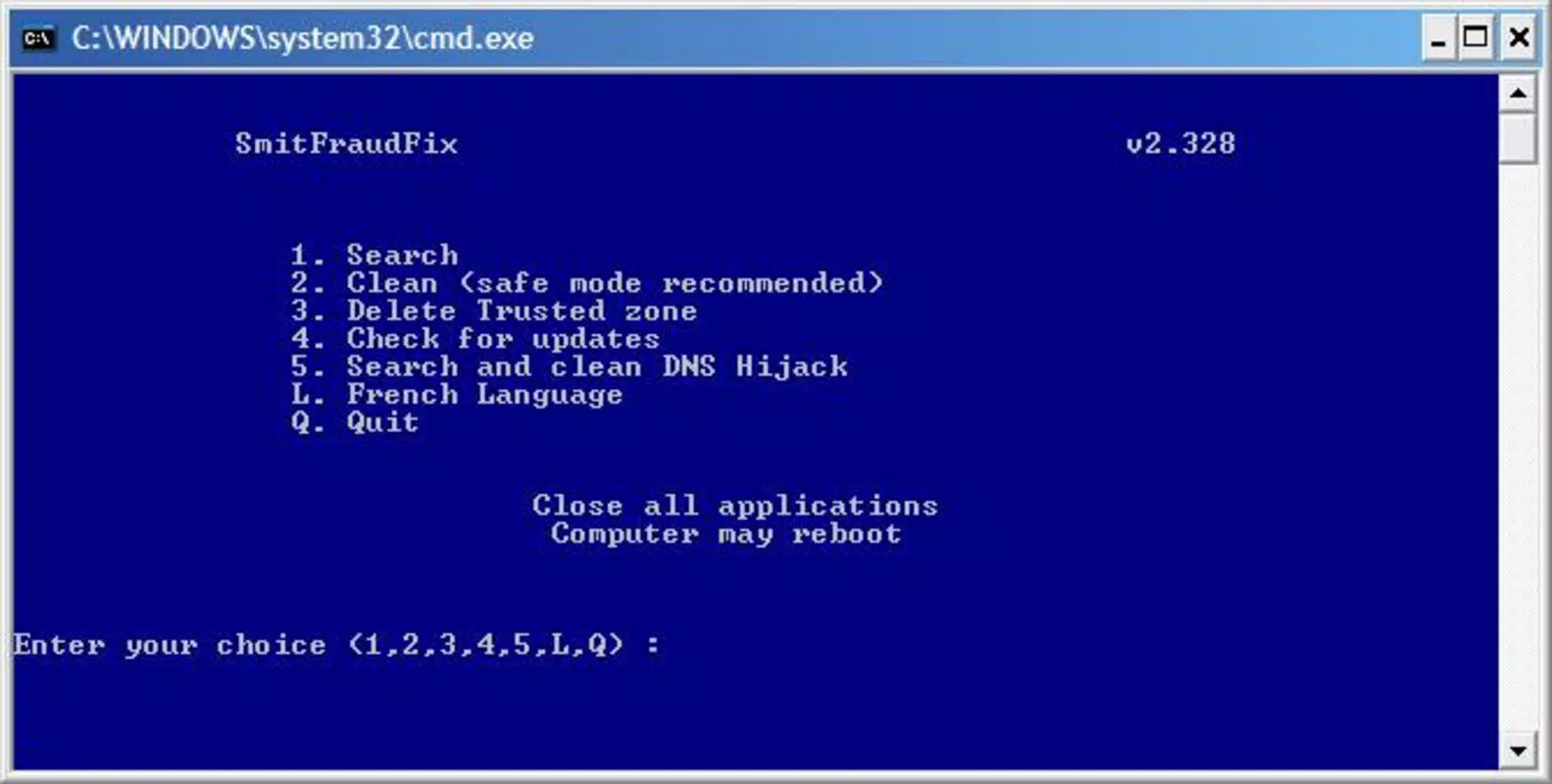
- Command-Line Interface: The tool operates exclusively through a command-line interface, appealing to advanced users and system administrators who prefer script-based control. This interface eliminates graphical overhead, allowing for faster execution and reduced resource consumption.
- Step-by-Step Cleaning Process: The program follows a three-phase workflow: scanning, disinfecting, and eliminating residual traces. This structured approach ensures users can track the cleaning process in real time and verify its completion.
- Detailed Activity Log: Upon finishing its operations, SmitFraudFix generates a comprehensive log file named
rapport.txt. This file documents all detected threats, actions taken, and system changes, enhancing transparency and trust in the tool’s effectiveness. - Vista Compatibility: SmitFraudFix maintains compatibility with Windows Vista, a significant advantage for users still relying on legacy systems. This ensures continued relevance in environments where upgrading the OS is not feasible.
For example, a user experiencing persistent browser redirects or unexplained system slowdowns can run SmitFraudFix to perform a deep scan. The generated log provides actionable insights, allowing users to assess the extent of infection and verify remediation. This makes the tool ideal for both individual troubleshooting and small-scale IT support.
Interface, UX & Performance
SmitFraudFix features a minimalistic, command-line interface that prioritizes functionality over visual design. There are no graphical menus, buttons, or animations—users interact directly with text-based prompts and commands. While this may deter casual users, it provides a streamlined experience for those familiar with terminal operations. Navigation is straightforward: users launch the executable, follow on-screen instructions, and wait for the process to complete.
The interface is responsive and stable during execution, with no reported crashes or freezes. Although the developer did not list formal performance metrics, the tool completes scans and cleanups efficiently, typically within minutes on standard hardware. Its lightweight footprint—4.7 MB—ensures it runs smoothly even on older systems with limited resources.
Performance across device categories is not explicitly documented. However, its compatibility with Windows Vista suggests it functions well on systems with modest specifications. The tool does not consume significant CPU or memory during operation, making it suitable for use on low-end machines or during system recovery sessions. Stability is maintained throughout the process, with no known issues related to data corruption or incomplete cleanups.
Platform Compatibility & Technical Requirements
SmitFraudFix is designed for the Windows platform and supports Windows Vista. The software version is 2.4.1, with a file size of 4.7 MB. It is distributed as a free tool, requiring no purchase or subscription.
The developer did not specify minimum OS requirements beyond Windows Vista. Compatibility with newer Windows versions, such as Windows 10 or 11, is not confirmed. Users should exercise caution when deploying the tool on updated systems, as older utilities may encounter compatibility issues due to security changes in newer operating systems.
Installation is simple: users download the executable and run it directly. No setup wizard or background services are required. The tool operates independently and does not modify system settings beyond its intended cleanup actions.
Pros and Cons
Pros
- Free to download and use with no hidden costs
- Lightweight at only 4.7 MB in size
- Effective at detecting and removing persistent malware
- Provides a detailed activity log for transparency
- Compatible with Windows Vista, extending utility to legacy systems
Cons
- Command-line interface may be intimidating for non-technical users
- No graphical user interface or visual feedback during operation
- Compatibility with modern Windows versions is not confirmed
- Developer did not provide updates or changelogs
- Does not offer real-time protection or scheduled scans
FAQ
Is SmitFraudFix safe to use?
Yes, SmitFraudFix is a legitimate tool developed for malware removal. It does not contain malicious code and is widely used in the security community. However, users should only download it from official or trusted sources to ensure authenticity.
Can I use SmitFraudFix on Windows 10 or 11?
While SmitFraudFix was designed for Windows Vista, it may function on newer systems. However, the developer did not confirm compatibility with Windows 10 or 11. Use at your own discretion and ensure you have a system backup before running the tool.
Do I need technical knowledge to run SmitFraudFix?
Yes, the tool requires command-line interaction. Users should understand basic terminal operations and follow instructions carefully. It is best suited for advanced users or IT professionals.
What happens after SmitFraudFix finishes scanning?
Upon completion, the tool generates a file named rapport.txt in the same directory. This log file contains a detailed record of all detected threats and actions taken during the cleaning process.
Is SmitFraudFix updated regularly?
The developer did not provide information on update frequency. The latest version available is 2.4.1, released in 2009. Users should be aware that the tool may not detect newer malware strains without updates.
Final Thoughts
SmitFraudFix remains a valuable tool for users managing infected or compromised Windows systems, particularly those on legacy platforms. Its no-nonsense approach, combined with a reliable detection engine and transparent logging, makes it a trusted choice for deep system cleanup. While its command-line interface limits accessibility for beginners, its efficiency and low resource usage appeal to experienced users and system administrators.
For individuals facing stubborn malware that resists standard antivirus software, SmitFraudFix offers a targeted, effective solution. Its ability to generate detailed logs enhances trust and provides actionable insights post-cleanup. Although not suitable for everyday protection, it fills a critical niche in the security landscape.
Download SmitFraudFix now


